
Real-Time In-App Messaging Support
Get answers without breaking your flow. Our built-in chat connects you directly to FinSight specialists who can troubleshoot issues, guide new workflows, and share best-practice tips—all from inside the dashboard and typically within minutes.
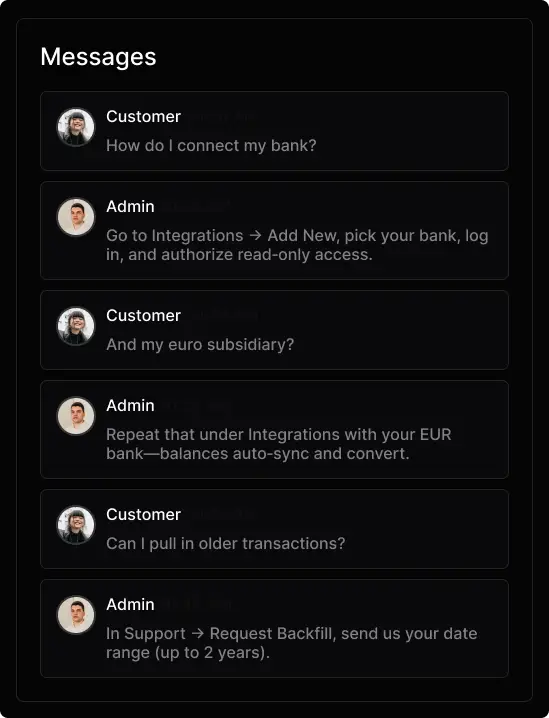

Dedicated Experts on Call
Prefer a conversation? Tap the phone icon and you’ll reach a live FinSight advisor—no call centers, no scripts. From onboarding to complex reconciliations, our team is ready to walk you through every step so you can keep your finances moving smoothly.
Frequently Asked Questions
See allConfigured to match how your team works
Lock or replace a card
Ask
Confirm the last 4 digits of the card
Provides
Doesn't know
Ask
Lost, stolen, or damaged?
Ask
Full name and address?
Stolen
Lost
Damaged
Provides
Escalate
Fraud team
Ask
These 4 digits?
Resolve
Lock and order a replacement.
Configured to match how your team works
Custom decision paths
Guide Eko through scenarios step by step. Define what to ask, when to ask it, and how to respond.
Lock or replace a card
Ask
Confirm the last 4 digits of the card
Provides
Doesn't know
Ask
Lost, stolen, or damaged?
Ask
Full name and address?
Stolen
Lost
Damaged
Provides
Escalate
Fraud team
Ask
These 4 digits?
Resolve
Lock and order a replacement.
Clear escalation triggers
Give Eko a deep understanding of when to escalate. Define your policies, products, edge cases, and anything else it needs to handover seamlessly.
Escalation triggers
Escalate immediately
Fraud
Billing dispute
Legal mention
Escalate at discretion
Complaint
Negative sentiment
Request for agent
Monitor
Unresolved
Low confidence
3+ replies
Draft review
Auto-escalate critical issues
Notify team on Teams
Send email summary
Precise personality controls
Adjust formality, tone, and response style to match how your support team communicates.
Personality
Formality
CasualFormal
Response length
BriefDetailed
Empathy level
DirectWarm
Style
CasualSerious
Use emoji in responses
Light humor when appropriate
Greet customers by name
Proactive follow-up suggestions